

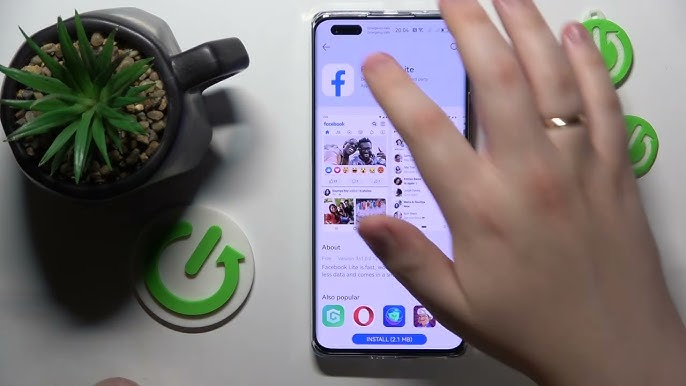
Arriving in a new country often means rebuilding your daily network from scratch. You need local updates, neighbourhood recommendations, school or workplace notices, and a simple way to stay connected with people back home. Facebook can support all of those tasks on a Huawei phone, provided it is installed from a trusted source and configured around the way you actually use it.
Install Facebook through AppGallery
Open HUAWEI AppGallery, enter “Facebook” in the search bar, and review the available listing before tapping Install. Huawei’s community page for huawei facebook offers the Huawei-specific starting point for downloading the app.
If the listing does not appear immediately, check that the region linked to your HUAWEI ID matches your current market. Update AppGallery and the phone software, restart the device, and search again. Avoid modified packages from unfamiliar download sites, especially because Facebook may contain private conversations, saved payment details, and connected business accounts.
Build a Useful Local Feed
Once the app is installed, sign in on a trusted network and review your language, notification, and privacy settings. Follow official pages for transport providers, schools, local authorities, and businesses. Join relevant city or neighbourhood groups, but read their rules before posting.
A well-organised Huawei Facebook feed can reduce the time spent searching across several local apps. Save useful posts, follow event pages, and create a small list of trusted local sources. Treat community comments as personal experience rather than official advice, particularly for immigration, healthcare, banking, or emergency information.
Control Permissions and Mobile Data
Grant camera, photo, microphone, and location access only when those features are needed. You do not need permanent location access simply to read the feed. Review notification categories so direct messages or important group updates arrive without filling the lock screen with every suggested post.
Video autoplay and Stories can consume mobile data quickly. Enable data-saving options when using a limited local SIM, and upload large videos over stable Wi-Fi. If content stops refreshing on public Wi-Fi, complete the network’s browser sign-in page or test mobile data before changing app settings.
Use Marketplace and Groups Carefully
Marketplace and local buy-and-sell groups can be practical overseas, but they also require caution. Check the seller’s profile history, compare prices, meet in a public place, and avoid sending deposits to unknown accounts. Never post identity documents, booking references, or a precise live address in a public group.
For account protection, use a unique password, enable the available security checks, and keep recovery details current. Review unfamiliar login alerts before approving them, especially after changing countries or SIM cards.
Keep the Setup Reliable
Return to AppGallery to check for updates, then test Facebook after major phone software changes. If the app becomes slow, restart it, switch networks, and clear the cache before considering reinstallation.
The huawei facebook guide provides the original Huawei installation reference. Starting from that official route and then managing data, privacy, and local information sources gives you a safer and more useful Facebook setup abroad.
